LOCATION SHARING APP

Meet people without explanation

Share your location with one tap. No explanations, no confusion. Just one clear place to meet.

Get it on Google Play Learn more

Two simple actions.
Endless possibilities.

LEIPO makes meeting people effortless with just two core features.

01 — I AM HERE

Share your live location instantly

Let others find you without saying a word. Perfect for airports, train stations, or any busy place where explanations don't work.
  • One-tap location sharing
  • Quick message templates (Airport, Station, Event)
  • Share via camera, gallery, or your list
  • Live updates as you move
I AM HERE feature
02 — COME HERE

Invite others to your exact spot

Guide people to you, not the other way around. Ideal when welcoming someone to a new city or meeting at unfamiliar places.
  • Send your location as an invitation
  • Recipients see exact coordinates
  • One-tap "Open in Maps" navigation
  • Track invitation status in real-time
COME HERE feature

Everything you need.
Nothing you don't.

03 — GROUPS & LISTS

Organize people the way life works

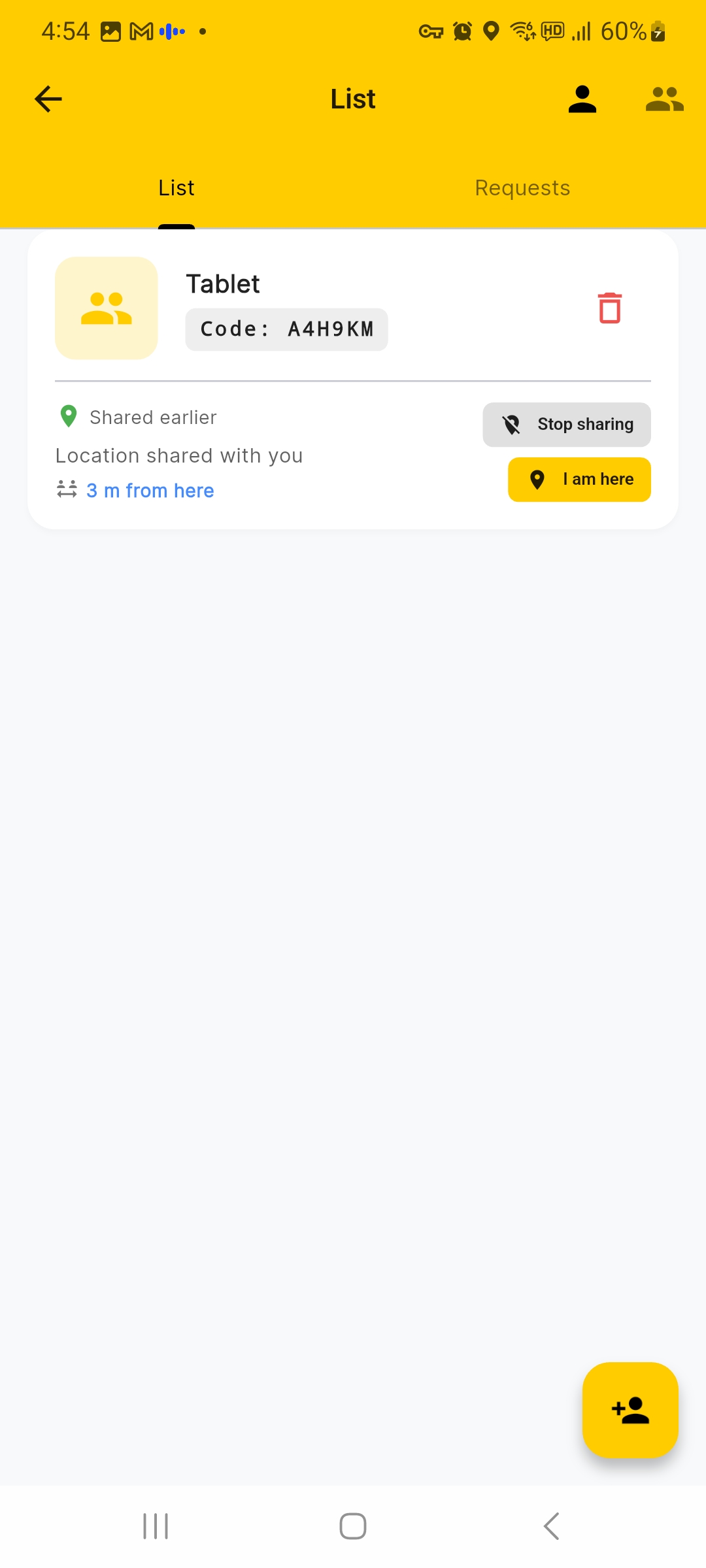
Create lists for family, friends, work, or travel. Share with the right people at the right time using private 6-digit codes.
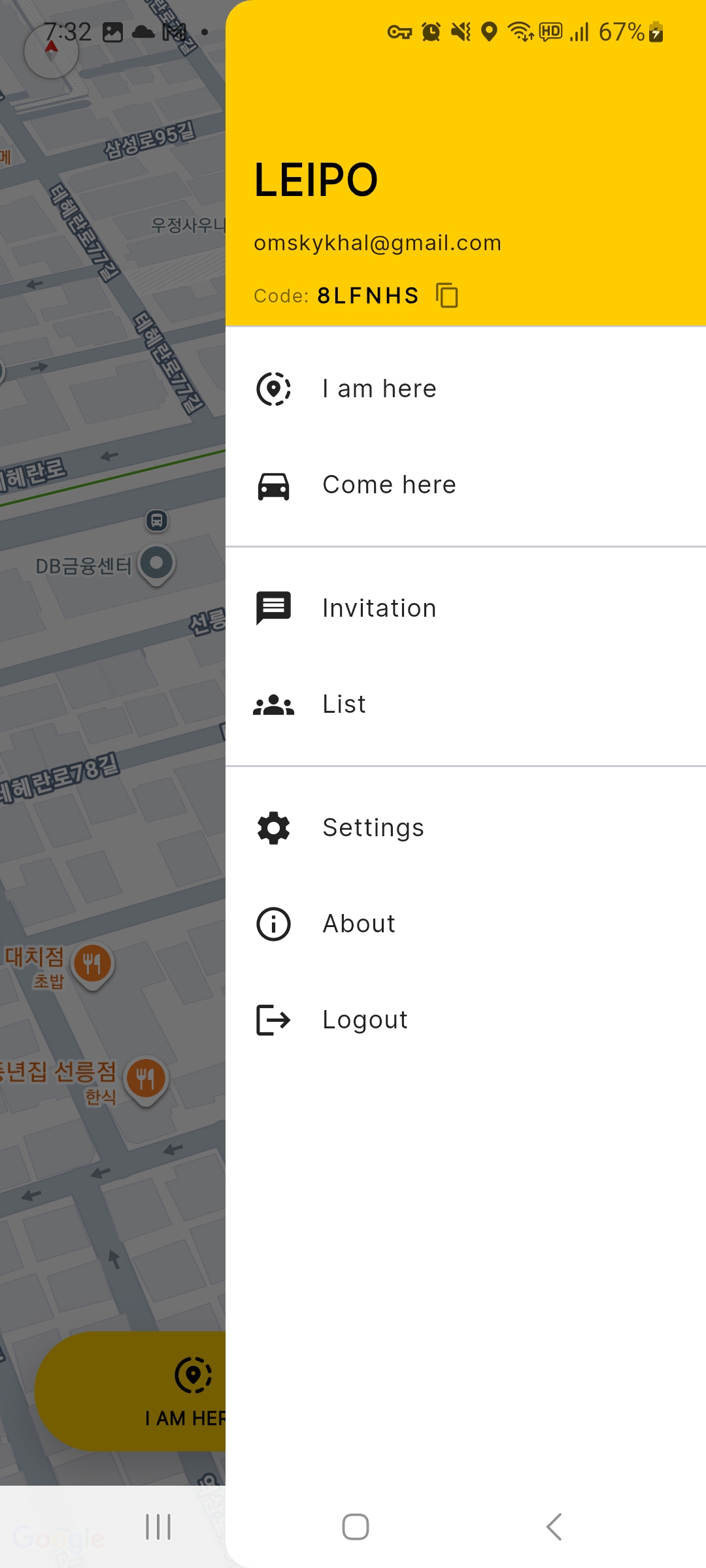
  • Private code-based connections (e.g., A4H3RM)
  • See who's sharing location in real-time
  • Manage multiple groups effortlessly
  • No social noise, just structure
Groups and Lists
04 — REAL-TIME MAP

See everyone. Navigate anywhere.

View all shared locations on one map. Get real-time directions. Know exactly where everyone is at a glance.
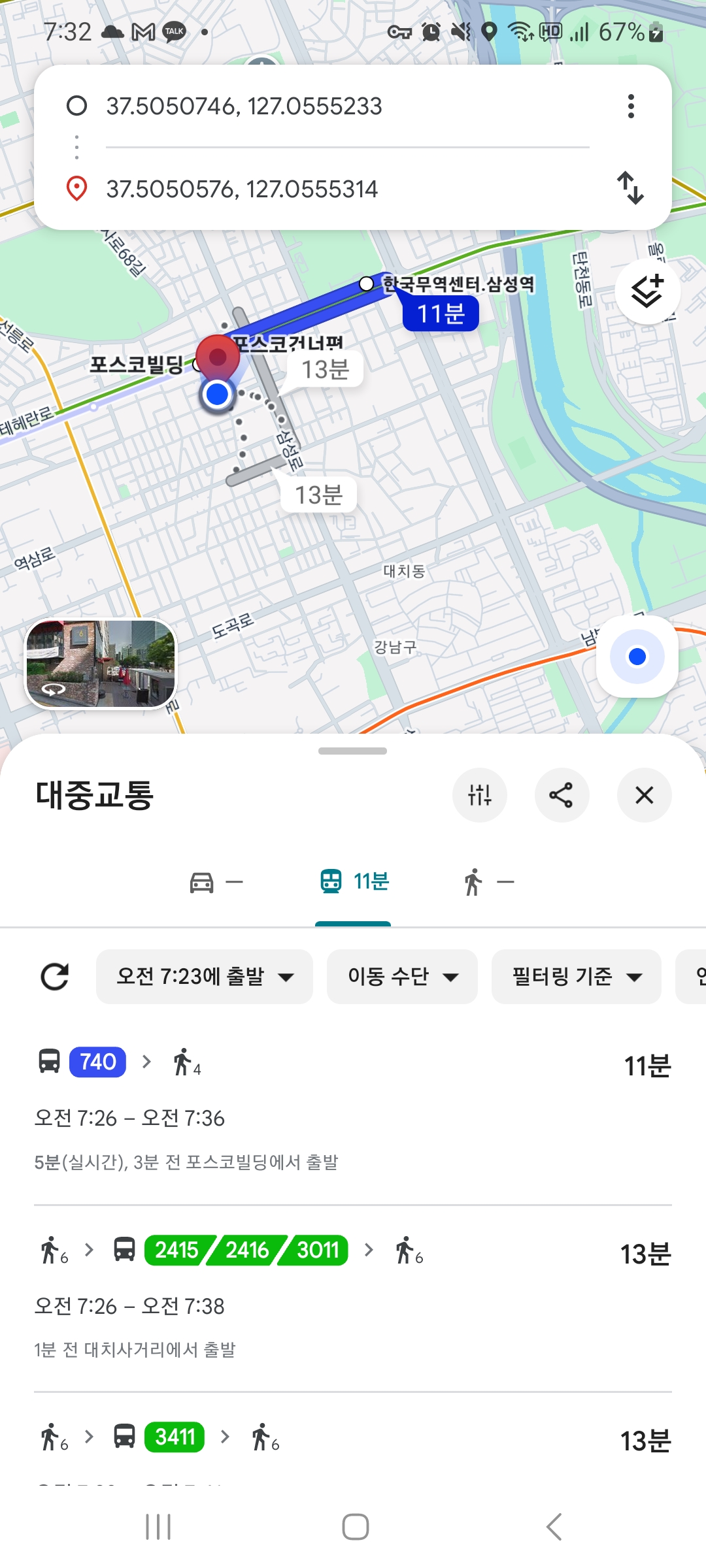
  • Live map with all locations
  • Integrated navigation (walk, transit, drive)
  • Distance and ETA calculations
  • Updates automatically as people move
Real-time map view
05 — INVITATIONS

Receive and manage location invitations

Get notified when friends share their location with you. View all invitations in one place and respond instantly.
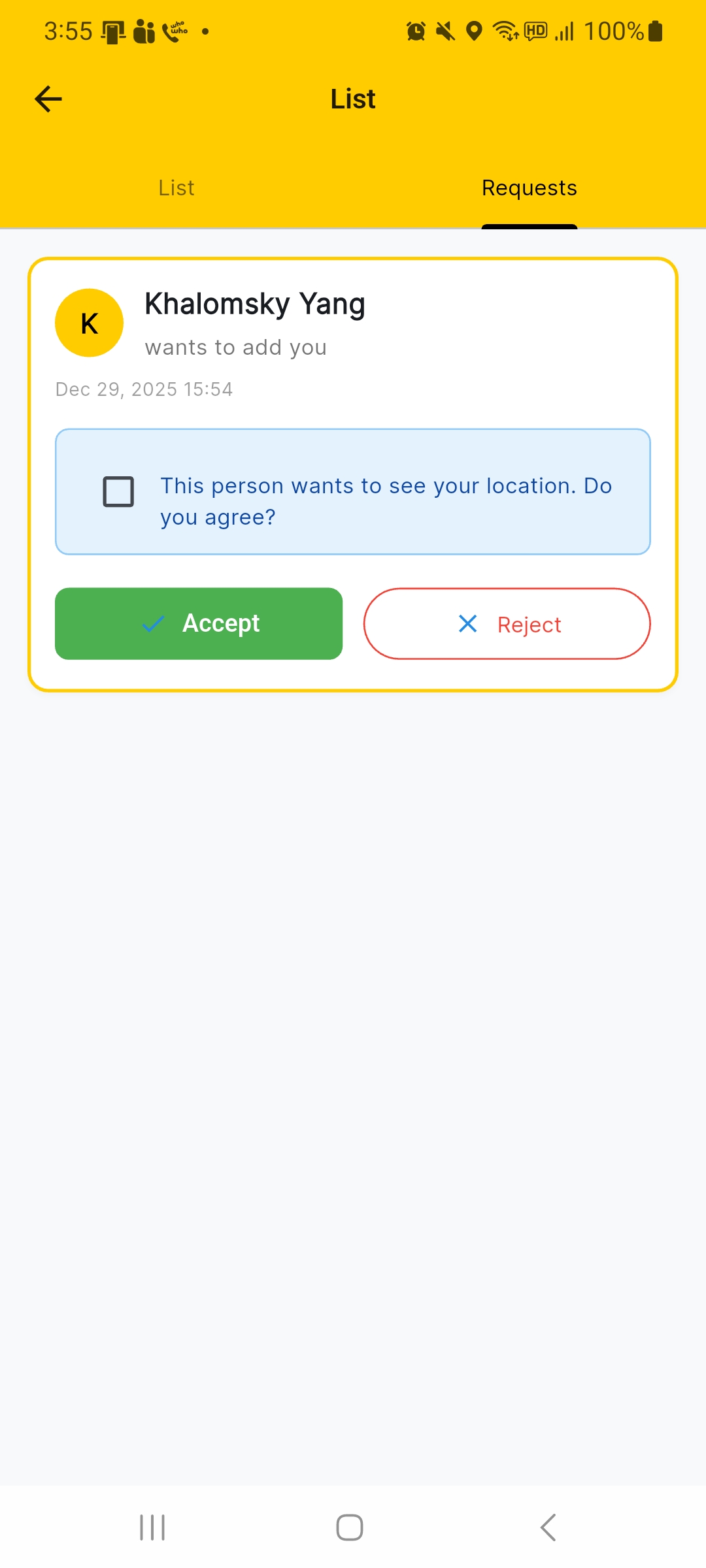
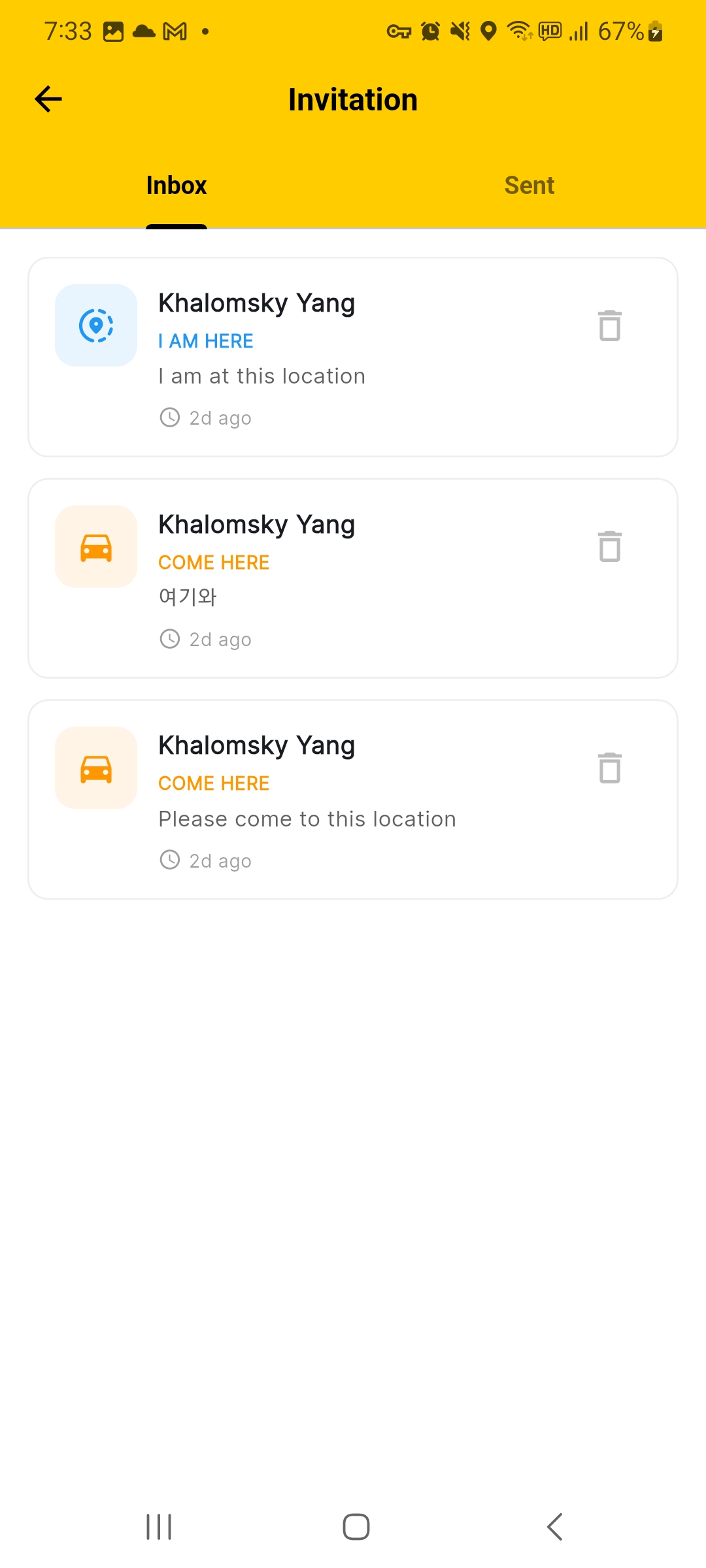
  • Real-time notifications for new invitations
  • See who sent the invitation and when
  • Quick actions to view location or dismiss
  • Keep track of all received invitations
Invitations screen
06 — FRIEND REQUESTS

Connect with people securely

Receive location sharing requests and decide who can see your location. Privacy and control at every step.
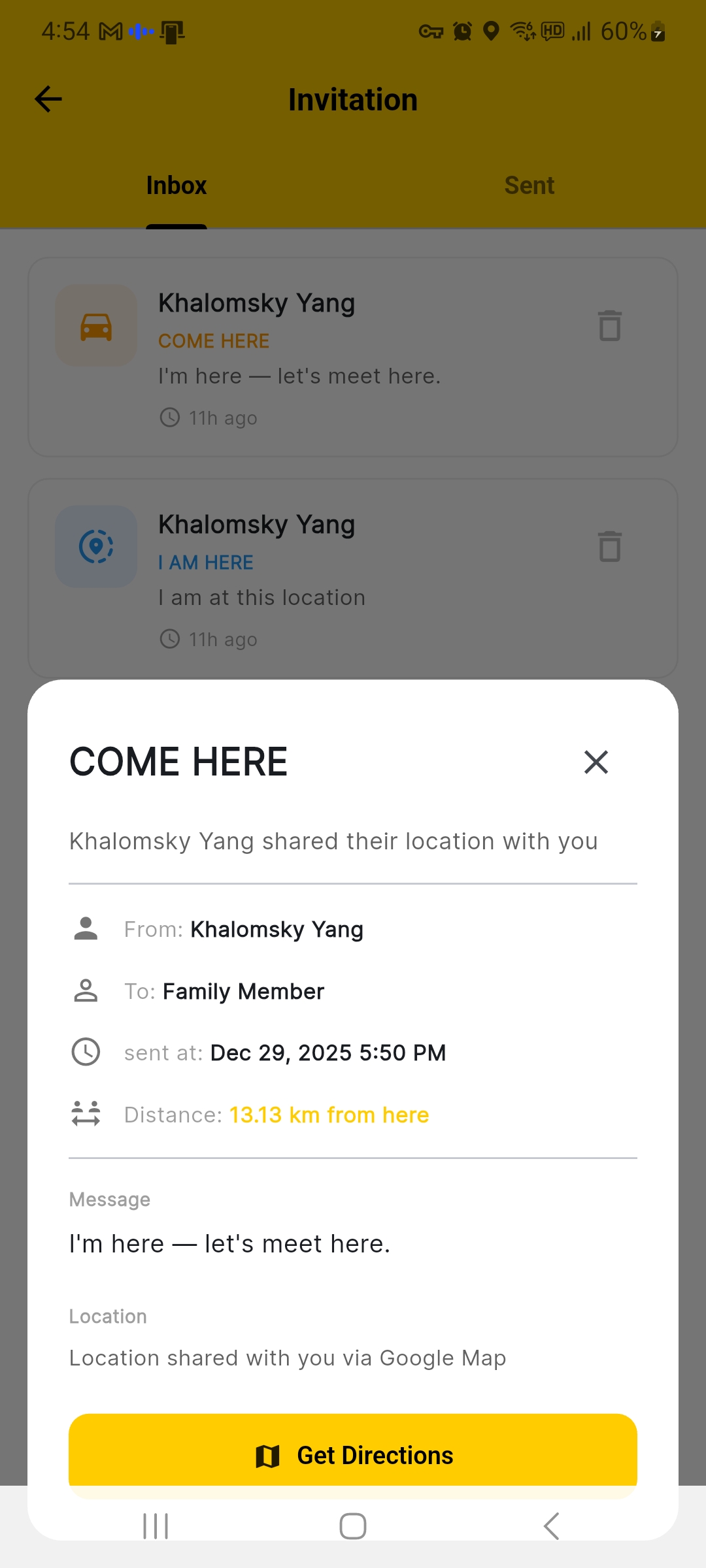
  • Review incoming friend requests
  • See who wants to share location with you
  • Accept or decline with one tap
  • Full control over your connections
Friend requests screen
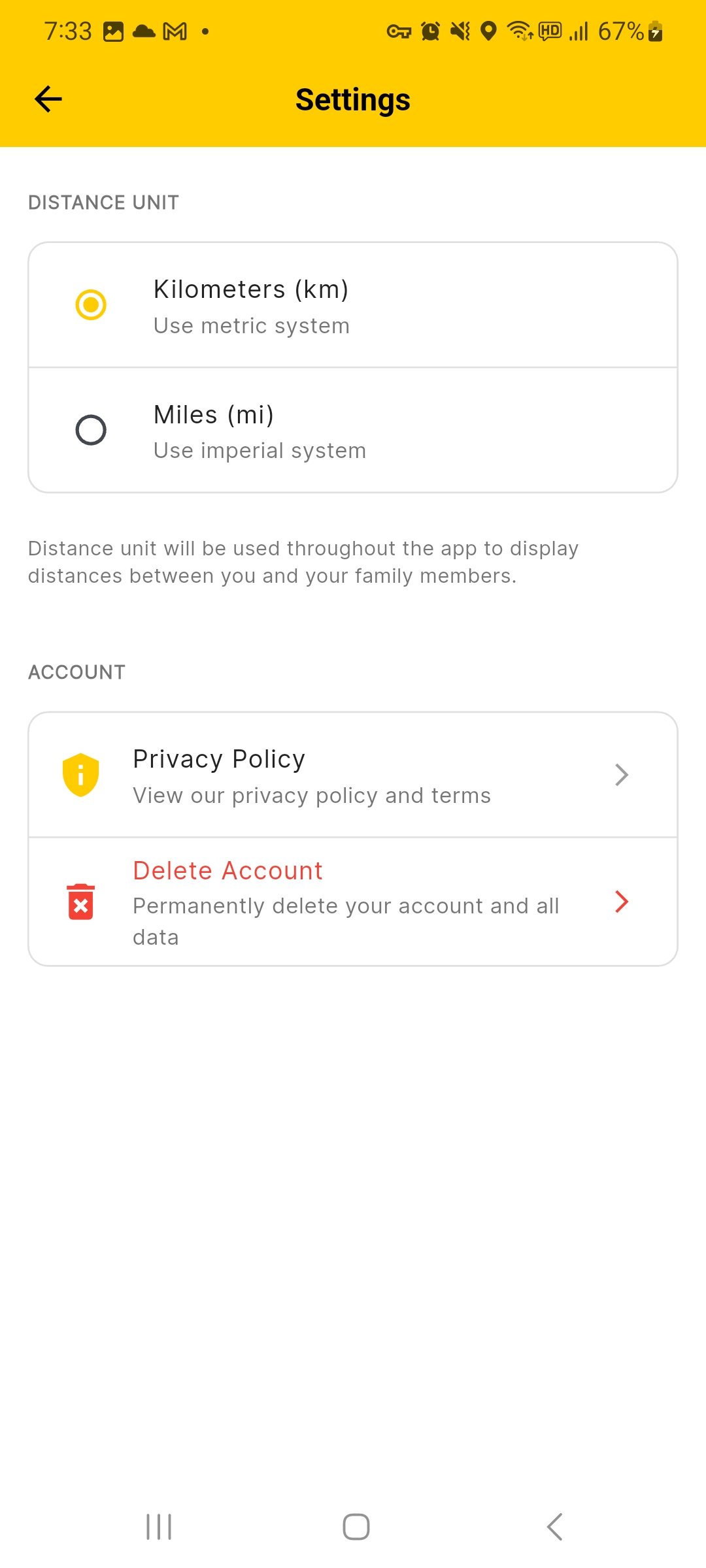
07 — SETTINGS & PRIVACY

Complete control over your account

Manage your profile, privacy settings, and account preferences. Your data, your choices, always.
  • View and edit your profile information
  • Privacy policy and terms of service
  • Delete your account anytime
  • Manage app permissions and notifications
Settings screen

Start sharing in 3 steps

No setup stress. No learning curve. Just download and go.

1

Sign up with Google

Fast and secure sign-in. No forms, no friction.

2

Share your code

Connect with a private 6-digit code. Simple and personal.

3

Start meeting

Share locations and meet without messages.

Your privacy. Your control.

We don't follow you. We don't collect moments. Nothing stays longer than needed.

Share only when you decide

Your location is shared only when you tap a button. Silence is the default.

Nothing stays forever

Locations disappear when they're no longer needed. No permanent tracking.

Full control, always

Choose who sees what, and when. No background tracking. Ever.
